How do I share a Private photo?
If you have uploaded private photos to your account, you can share them with another member through your conversation with them in your Inbox.
Sharing a private photo:
- Click Messages.
- Open the conversation with the member.
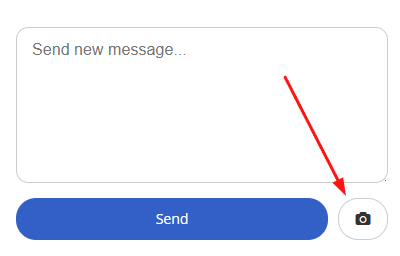
- Click the Camera icon next to the 'Send' button.
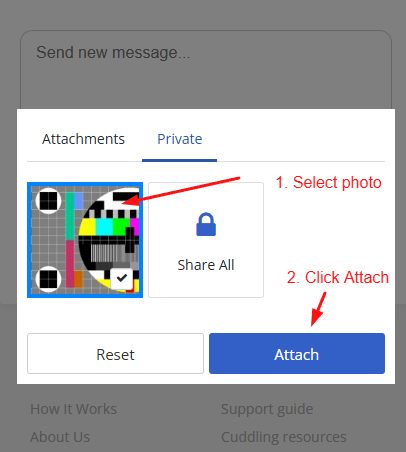
- Select the 'Private' tab at the top.
- Choose the photo you want to share and click 'Attach'.
Note: Our moderators can see private photos. Our normal photo rules apply.