
How do I pay the 15% fee?
How do I generally pay my fees?
We automatically charge the 15% fee two days after each session, based on your mandatory use of the booking panel.
All scheduling must be done through the booking panel that appears above the conversation with the client. To cancel sessions and void fees, use the panel. If clients don't show, click 'Session did not occur' in the panel.
For exceptional circumstances where the booking feature doesn't cover a session, you can manually pay the owed fees via this page.
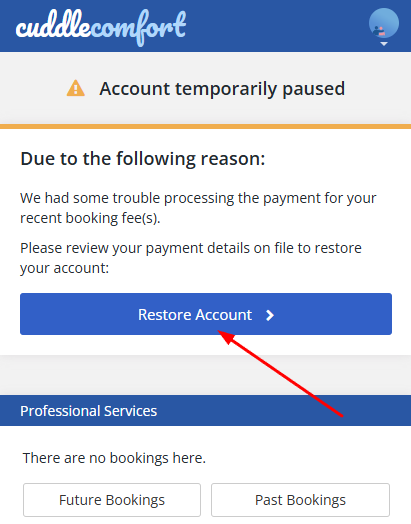
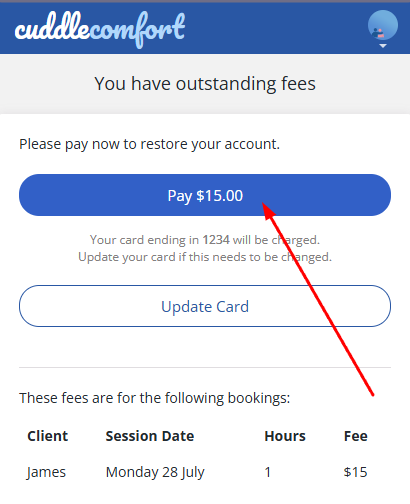
Pay to restore a paused account:
- While logged in, go to the homepage.
- Click 'Restore Account'.
- Click the 'Update Card' button and enter your new card details.
- Click 'Pay' to complete the charge and restore your account access.
Direct link: https://www.cuddlecomfort.com/account/unpaid-bookings
Related issues:
- If the total outstanding fees includes a charge for a session that did not happen, please first retroactively cancel the session by selecting 'Refund & adjustments' in the Contact Form and then clicking the booking to be canceled.
- If you need to change your card, click 'Update Card' in the screenshot above, then return to the payment instructions.