How do I report a member?
You can Report someone either through their Profile or your Inbox.
Please use these official reporting methods rather than the contact form, as reports need to feed directly into the moderation system.
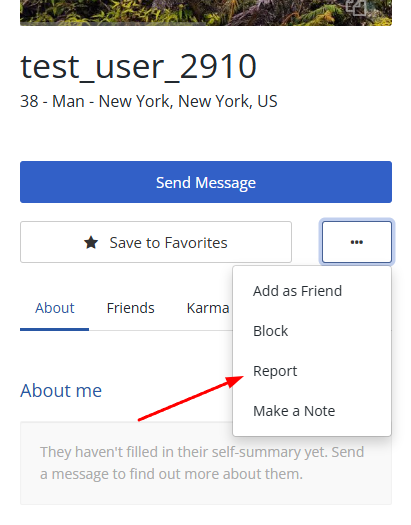
Report via Profile:
- Visit their Profile page
- Click the white button with three dots (located near 'Save to Favorites')
- Click Report
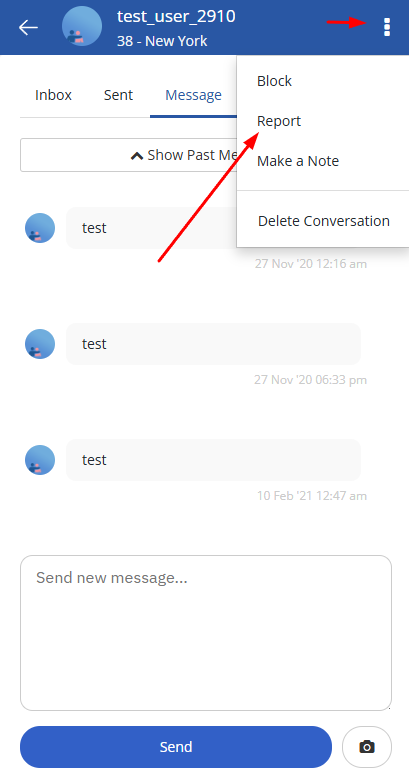
Report via Inbox
- Go to your Inbox
- Click into the Conversation with them
- Click the white button with three dots.
- This will be in the top right corner on mobile
- Or next to the Send button on larger devices
- Click Report