How do I prevent my profile from appearing in Google search results?
Profiles are set by default to be discoverable in Google search results.
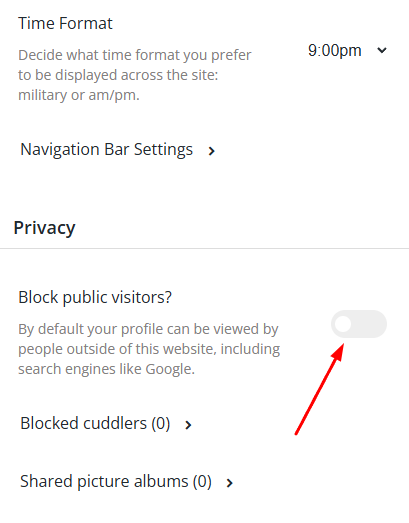
You can enable the 'Block public visitors' privacy feature in Settings to help prevent this.
- Go to Main Menu > Settings
- Scroll down to find 'Block Public Visitors'
- Click the slider so it appears blue
If you previously enabled this setting, Google may have already had the opportunity to index your page.
After enabling this privacy feature, there is a waiting period beyond the platform's control. You'll need to wait for Google's crawlers to revisit your page and recognize it can no longer be indexed, which can take several weeks.