How do I add a friend?
You and the other member must both have sent at least one message to each other first. You can then send a friend request from their profile.
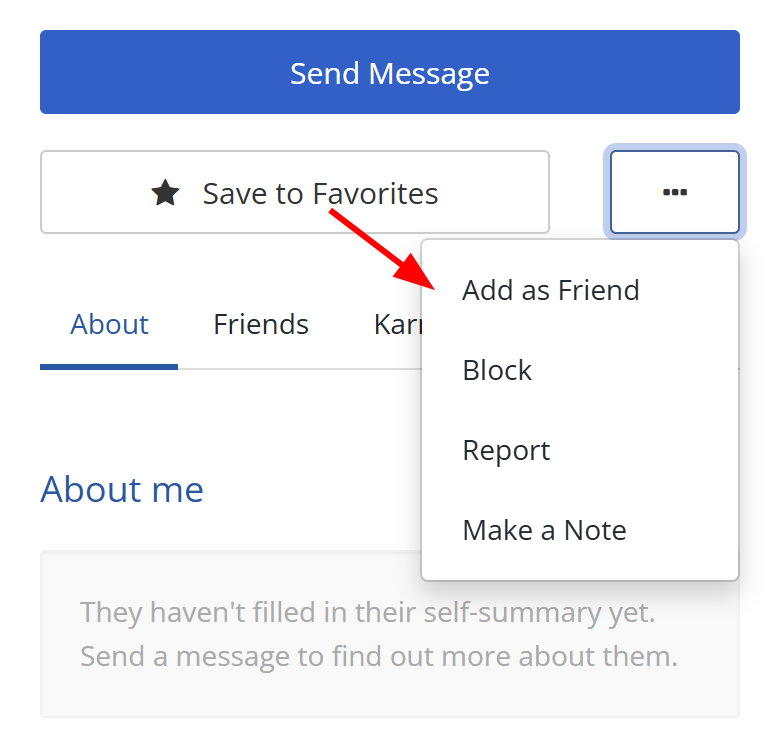
- Visit the member's profile.
- Open the white three-dot More menu near Favorites.
- Select Add as Friend.
The member must accept your request before you become friends.