How do I block someone?
You can block someone either through their Profile or your Inbox.
The person will not receive a notification when blocked. If they attempt to visit your profile or send a message, they will see a notice explaining they are blocked.
Open Blocked Cuddlers to manage your blocked members list.
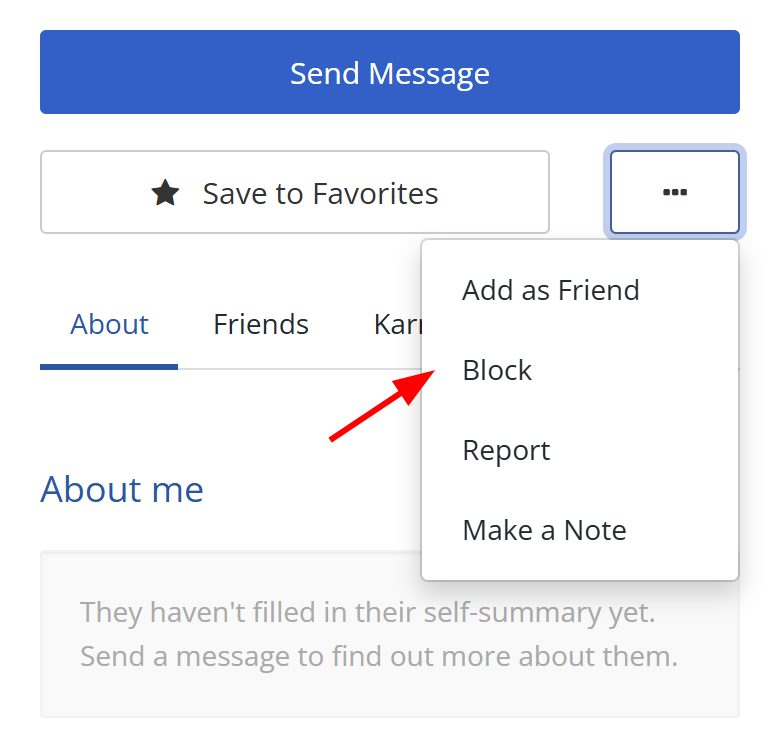
Block via Profile:
- Visit their Profile page.
- Click the white button with three dots (located near 'Save to Favorites').
- Click Block.
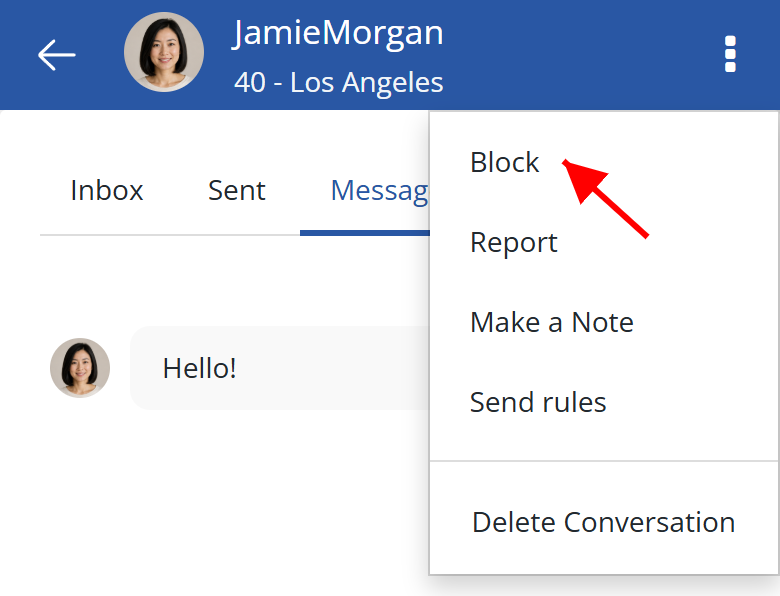
Block via Inbox
- Go to your Inbox.
- Click into the Conversation with them.
- Click the white button with three dots.
- This will be in the top right corner on mobile
- Or next to the Send button on larger devices
- Click Block.
Note: If you have previously sent or received a message from a member, you can also block them while their account is deactivated or awaiting deletion. For an account awaiting deletion, select Block on their profile. The block stays in place if they restore their account, preventing them from messaging you again. Select Unblock to remove it.
Do blocks apply to the forum?
No. A member you block can still see your forum posts and comments, and you can still see theirs.
Blocks are kept separate from the forum because threads are shared conversations. If one member could not see another member's posts, they could miss context that later replies depend on, while everyone else still sees the complete discussion. Their responses can then confuse or disrupt the thread, making the block apparent to other readers. That can prompt people to point it out or discuss it, drawing the thread away from its original topic.