How do I mute or deactivate my account, and what's the difference?
You can mute or deactivate your account in Account Settings.
- To mute: Open mute settings, choose a duration from the dropdown, and select Mute. To unmute at any time, return to the same page and select Unmute My Account.
- To deactivate: Open deactivate settings and select Deactivate My Account. To reactivate, sign in again.
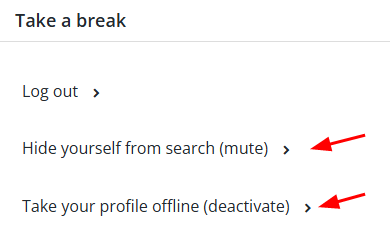
Muting lets you stay on the site while taking a break from new contact. Deactivating signs you out and stops all messages.
Muting
- Your profile is hidden from search.
- People you do not already know cannot message you.
- You stay signed in and can talk with people you already know.
- Your profile visits are not anonymous. If you visit another member, you can still appear in their Visitor log, and visitors to your profile can still appear in yours.
- You can mute for a chosen number of days or indefinitely. You can unmute manually at any time, and a dated mute ends automatically.
Deactivating
- You are hidden from search and cannot receive messages from anyone, including people in your existing conversations.
- You are logged out, while your information and Karma are retained.
- Your account reactivates automatically when you sign in again. If payment details are required, we ask you to update them first.
Points to be aware of
- Your profile can remain visible to people who previously found it or messaged you.
- If you are a Professional Cuddler, your public profile may remain visible unless you block public visitors in Settings.
- You cannot deactivate while you have upcoming bookings.
- If you are a male Professional Cuddler, you cannot deactivate while your Pro subscription is active. You must first downgrade, then you can deactivate if you still wish to.