How do I delete my account?
You can delete or temporarily deactivate your account from Account Settings.
Delete account
Deleting your account schedules it for permanent deletion in 30 days. This waiting period is an intentional grace period in case you change your mind or requested deletion by mistake. We do not shorten or skip it.
- Click the Menu (your profile photo in the top right).
- Click Settings.
- Scroll down to the Account section. On desktop devices, you must first click the Account tab at the top.
- Click Delete.
Direct link: Delete Account section
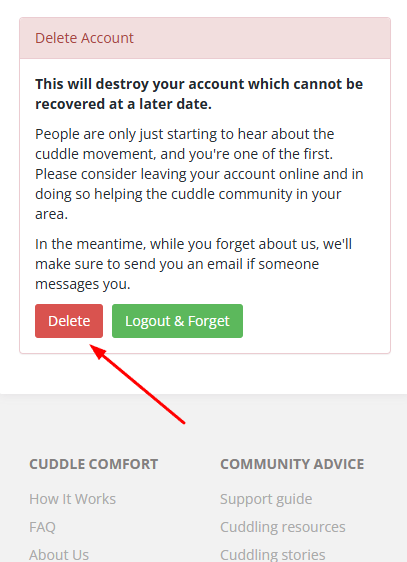
While deletion is pending
Your account is disabled and hidden from search during the waiting period, but it has not yet been permanently deleted.
If you sign in before the scheduled deletion date, you will see an Account Scheduled For Deletion page. Signing in alone does not cancel deletion.
- Select Restore to keep your account and cancel the scheduled deletion.
- Select Logout & Allow Deletion to leave the deletion scheduled.
Once permanent deletion has been processed, your account cannot be recovered.