What if the session goes on longer than planned?
If a confirmed session needs more time, the Professional Cuddler can add it from the green panel above the conversation.
- Select Extend Time. This option is available from 12 hours before the scheduled start until 24 hours after the scheduled start, not the session end.
- Choose how many additional hours to add.
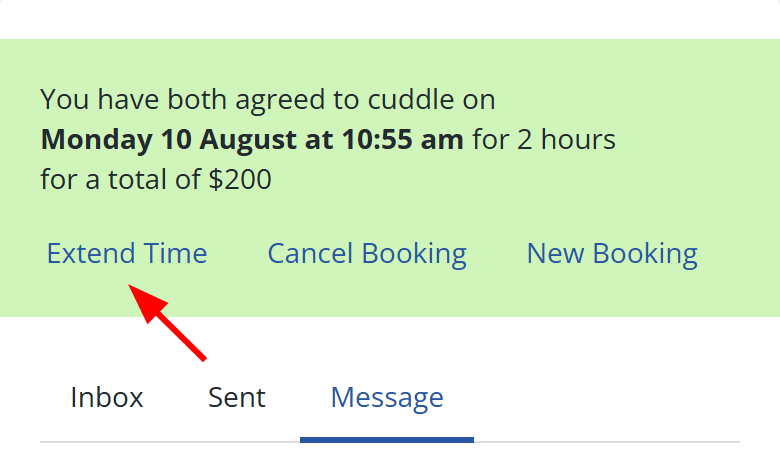
The booking duration and total update immediately.
You can also reach Extend through Account > Bookings. Select Past, expand the booking, and select Extend.
Once the deadline passes, you cannot extend the booking yourself. If the recorded booking needs a retrospective correction, use the Contact form.
If the booking is still more than 12 hours away and you need to change its planned details, see How do I change a confirmed booking?.
Extend Time is not available for a custom-priced booking. Agree on the extra session price with the client directly, then use Misc Payments after the session to pay any additional platform fee that was not covered by the booking. Misc Payments records the additional fee only. It does not correct the booking duration, so use the Contact form when the recorded booking itself needs changing.